Trimble T100 - Trimble Update Viewer/Health Monitor Installation Guide
Installing the Trimble Update Tool
Starting in Q3 2023, Trimble devices began shipping with the Trimble Update Tool pre-installed. If your device does not have it, follow these steps to install it manually:
Manual Installation Steps
-
Go to the Trimble OS download portal: https://mcs.trimble.com/
Download the Trimble Update Installer Bundle (vx.x.x.x):
-
You can download it directly to your Trimble device, or
-
Download it to a USB drive and transfer it to the device.
-
-
On the Trimble device, double-tap the installer file to begin installation.
-
Once installation is complete, tap Close.
Using the Trimble Update Tool
-
Open the Trimble Update Tool.
-
In the Update Viewer window, tap Check Updates.
- If updates are available, you’ll see an Install button next to each component.
-
Tap Install to begin the update.
Recommended Components to Install
Make sure the following key components are selected and installed:
-
✅ Trimble Asset Management
-
✅ Trimble EMPOWER Hub
-
✅ Trimble EMPOWER Module Manager
-
✅ Trimble EMPOWER EM12X Support
-
Note: Some components may show as New under the Name column. This is normal for components installed before the Update Tool was added, they aren’t yet recognized by the tool.
Installing the Health Monitor
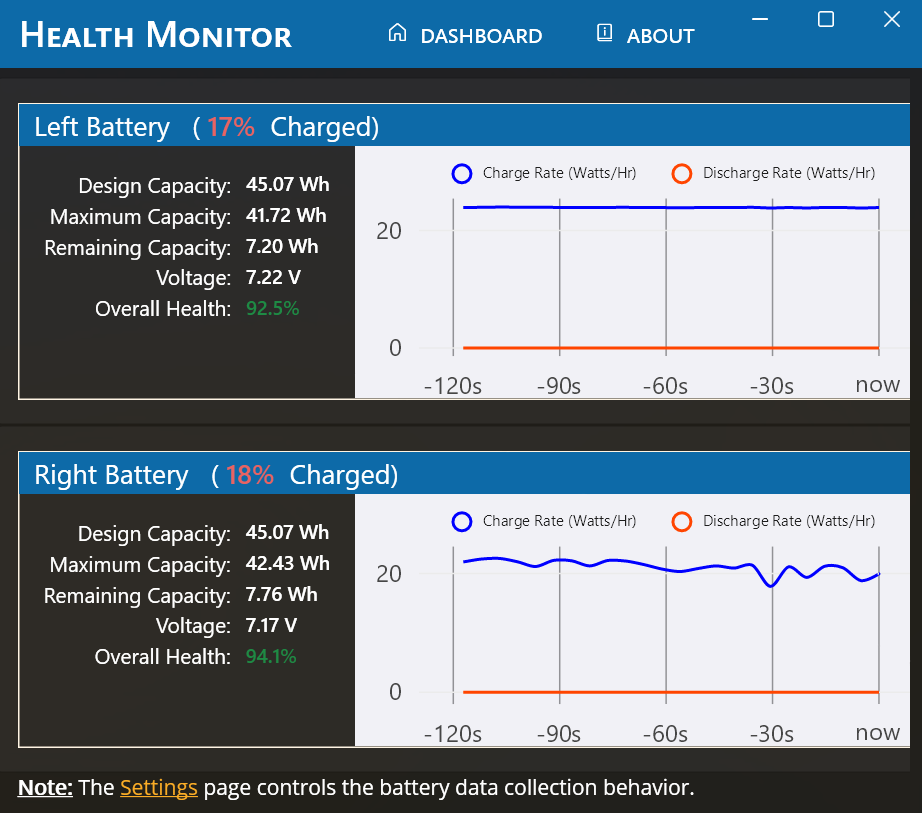
The Health Monitor is a system tool available through the Trimble Update Tool. It provides key device info like the serial number, BIOS version, and live battery stats including charge/discharge rate, battery health, design capacity, and max capacity.
To install:
-
Open the Trimble Update Tool.
-
Tap Check Updates.
- Find Health Monitor under “Other.”
Once installed, you can access real-time battery and system details directly from your device.
Related Articles
Trimble Fieldpoints - Installation Guide
1. Verify if Trimble Installation Manager (TIM) Is Already Installed? Click on the Windows icon in the lower left hand corner of the screen Scroll down to the 'T's Look for Trimble Installation Manager Option A.) If TIM is not there, follow the guide ...Trimble RealWorks Installation Guide
Trimble RealWorks – Installation Guide Overview Trimble RealWorks is desktop software used for 3D point cloud processing, registration, and analysis. This guide explains how to install RealWorks, activate licensing, and handle common issues. 1. ...Trimble Installation Manager - Setup Guide
1. Verify if Trimble Installation Manager Is Installed First, check to see of Trimble Installation Manager (TIM) is already installed. Look for Trimble Installation Manager in All Apps by first selecting the Windows icon, the scrolling down to the ...EM120 Radio Module Driver Installation Guide
Installing the Trimble Update Tool Starting in Q3 2023, Trimble devices began shipping with the Trimble Update Tool pre-installed. If your device does not have it, follow these steps to install it manually: Video Guide ...Trimble FieldLink - Installation Guide
Trimble FieldLink Overview Trimble FieldLink features two different licensing models, and the installation steps are slightly different based on your license type. A Perpetual license is tied to the hardware serial, and your assigned license and ...